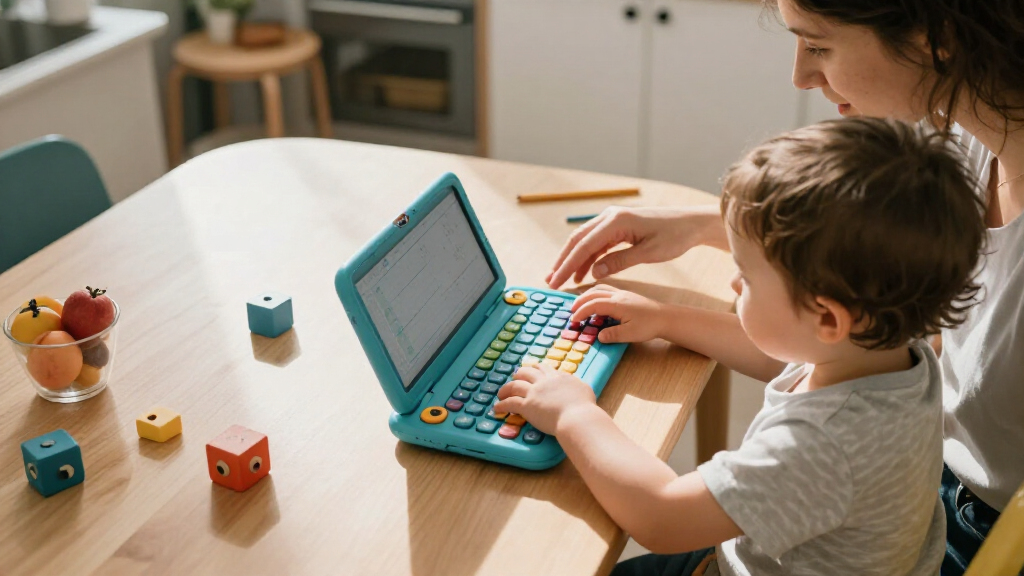

The best toddler learning laptops combine simple controls, age-appropriate activities, and sturdy toy design without overwhelming a young child. My best overall pick is the LeapFrog My First STEAM Laptop for its early-learning focus, while the VTech Genio Bilingual JuniorBook stands out for bilingual play and the LeapFrog 2-in-1 LeapTop Touch for its laptop-and-tablet format. The main tradeoffs are how much variety a child needs, whether bilingual activities matter, and whether a convertible toy is worth choosing over simpler buttons. Some models lean toward letters and numbers, while others emphasize pretend play, touch interaction, or familiar characters. Read on for the full comparison and guidance on matching a toy laptop to your toddler’s age and interests.

Give the gift of listening to the whole family
- Choose a 1-, 3-, 6- or 12-month membership
- They pick the audiobooks they love
- Easy to send by email
Complete the kit


Key Takeaways
- Learning focus separates the strongest picks: the LeapFrog My First STEAM Laptop is the roundup’s clearest choice for early science, technology, engineering, arts, and math themes, while letter-and-number models keep practice more focused.
- Bilingual play is a meaningful differentiator: the VTech Genio, Winfun, and Lexibook models offer language exposure, but buyers should check which languages and activities are included rather than assuming every game is bilingual.
- Convertible designs trade simplicity for flexibility: the LeapFrog 2-in-1 LeapTop Touch, Laradola, and GMAOPHY add tablet-style play, while conventional button layouts may be easier for a very young toddler to operate.
- Character themes can improve first-day appeal but narrow the focus: the Unicorn, Spider-Man, and Frozen 2 Lexibook versions may suit a child with a strong favorite, while a less branded model can be a better fit for varied play.
- Portability and age fit matter as much as activity count: compact options such as the VTech Tote and Go suit travel, while the right choice at home depends more on manageable controls and activities a child can use independently.
| VTech Genio Bilingual JuniorBook Learning Laptop for Kids |  | Best for Bilingual Skill-Building | Age range: 5+ years | Activities: Over 80 | Languages: English and Spanish | VIEW LATEST PRICE | See Our Full Breakdown |
| VTech Play Smart Preschool Laptop |  | Best for Preschool Beginners | Age range: 3–6 years | Activities: 30 leveled activities | Keyboard: 26-letter keyboard and 10 number keys | VIEW LATEST PRICE | See Our Full Breakdown |
| VTech Tote and Go Laptop, Orange |  | Best for Mouse Practice | Age range: 3–6 years | Learning activities: 20 | Words taught: 60+ | VIEW LATEST PRICE | See Our Full Breakdown |
| VTech Swipe and Learn Smarties Laptop, Blue |  | Best for the Youngest Learners | Age range: 18 months–4 years | Learning features: Letters, phonics, numbers, counting, animals, and weather | Music instruments: Piano, flute, guitar, violin, and xylophone | VIEW LATEST PRICE | See Our Full Breakdown |
| Winfun Bilingual Learning Laptop for Kids |  | Best for Portable Bilingual Play | Age range: 36 months–15 years | Languages: English and Spanish | Activity modes: 5 | VIEW LATEST PRICE | See Our Full Breakdown |
| LeapFrog My First STEAM Laptop | 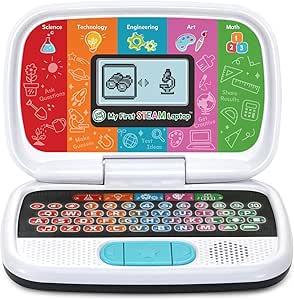 | Best for STEAM Exploration | Brand: LeapFrog | Recommended age: 36 months and up | Educational objectives: Early development, logical thinking, motor skills, STEAM, and shape recognition | VIEW LATEST PRICE | See Our Full Breakdown |
| LeapFrog 2-in-1 LeapTop Touch |  | Best for Flexible Play | Brand: LeapFrog | Age range: 2–5 years | Learning modes: ABCs, numbers, games, music, and messages | VIEW LATEST PRICE | See Our Full Breakdown |
| Laradola Learning Toy Laptop for Toddlers 1-3: 2-in-1 Tablet with 4 Modes & 100+ Themes |  | Best for Younger Toddlers | Brand: Laradola | Model number: 35830M | Age range: 12 months–4 years | VIEW LATEST PRICE | See Our Full Breakdown |
| Lexibook Unicorn Bilingual Educational Laptop for Kids |  | Best for Bilingual Practice | Brand: Lexibook | Model: JC598UNIi2 | Age range: 4 years and up | VIEW LATEST PRICE | See Our Full Breakdown |
| LeapFrog ABC and 123 Laptop for Preschoolers, Green |  | Best for Early Coding and Literacy | Brand: LeapFrog | Manufacturer: VTech | Age range: 3–7 years | VIEW LATEST PRICE | See Our Full Breakdown |
| GMAOPHY 2-in-1 Kids Laptop Tablet Learning Toy for Toddlers 1-3 |  | Best for Flexible Toddler Play | Brand: GMAOPHY | Model number: LAPTOP-G6 | Age range: 12 months–3 years | VIEW LATEST PRICE | See Our Full Breakdown |
| LeapFrog My Own Leaptop |  | Best for Pretend Computer Play | Brand: LeapFrog | Age range: 2–4 years | Learning modes: ABCs, Messages, Games, Music | VIEW LATEST PRICE | See Our Full Breakdown |
| VTech Toddler Tech Laptop |  | Best for Cause-and-Effect Play | Brand: VTech | Age range: 12–36 months | Dimensions: 10 × 7 × 1.8 inches | VIEW LATEST PRICE | See Our Full Breakdown |
| Lexibook Spider-Man Bilingual Educational Laptop for Kids |  | Best for Bilingual Activity Variety | Brand: Lexibook | Model number: JC599SPi2 | Age range: 3+ years | VIEW LATEST PRICE | See Our Full Breakdown |
| Lexibook Disney Frozen 2 Bilingual Educational Laptop for Kids |  | Best for Frozen Fans Learning Two Languages | Brand: Lexibook | Model: JC598FZi2 | Age range: 4 years and up | VIEW LATEST PRICE | See Our Full Breakdown |
| toddler learning laptop | Age range | Brand | Dimensions |
|---|---|---|---|
| VTech Genio Bilingual JuniorBo | 5+ years | — | 11.3 × 7.5 × 1.4 inches |
| VTech Play Smart Preschool Lap | 3–6 years | — | — |
| VTech Tote and Go Laptop | 3–6 years | — | 2.68 × 10.67 × 8.23 inches |
| VTech Swipe and Learn Smarties | 18 months–4 years | — | 9.2 × 11 × 2 inches |
| Winfun Bilingual Learning Lapt | 36 months–15 years | — | 12.6 × 2.7 × 12.5 inches |
| LeapFrog My First STEAM Laptop | — | LeapFrog | 9.33 x 6.22 x 2.17 inches |
| LeapFrog 2-in-1 LeapTop Touch | 2–5 years | LeapFrog | 2.05 x 10.08 x 6 inches |
| Laradola Learning Toy Laptop f | 12 months–4 years | Laradola | — |
| Lexibook Unicorn Bilingual Edu | 4 years and up | Lexibook | — |
| LeapFrog ABC and 123 Laptop fo | 3–7 years | LeapFrog | 9.45 x 8.1 x 2.24 inches |
| GMAOPHY 2-in-1 Kids Laptop Tab | 12 months–3 years | GMAOPHY | — |
| LeapFrog My Own Leaptop | 2–4 years | LeapFrog | — |
| VTech Toddler Tech Laptop | 12–36 months | VTech | 10 × 7 × 1.8 inches |
| Lexibook Spider-Man Bilingual | 3+ years | Lexibook | — |
| Lexibook Disney Frozen 2 Bilin | 4 years and up | Lexibook | — |
More Details on Our Top Picks
VTech Genio Bilingual JuniorBook Learning Laptop for Kids
The Genio Bilingual JuniorBook is the strongest fit here for children ready to move beyond first words and practice a broader mix of school subjects. Its 80+ activities in English and Spanish include math, science, language arts, and music, while the full-size QWERTY keyboard and cursor controller offer more computer-style practice than the VTech Play Smart Preschool Laptop’s smaller 26-letter keyboard. It also works without an internet connection, so activities are available without online access. The tradeoff is its stated 5+ age range: it may feel too advanced for many toddlers, and its 1.9-pound build is less suited to very young children carrying it around. It runs on four AA batteries, with the included set intended for demonstration, so regular use calls for fresh batteries.
Pros:- Offers more than 80 activities across academic and creative subjects.
- Provides activities in both English and Spanish.
- Works offline with preloaded content.
- Full-size QWERTY keyboard and cursor controller introduce computer-style input.
Cons:- The 5+ age recommendation makes it a poor fit for younger toddlers.
- Requires four AA batteries, and the included batteries are for demonstration.
- At 1.9 pounds, it is heavier than a very basic preschool learning toy.
Best for: Families with children around age five or older who want offline English-and-Spanish practice across several school subjects.
Not ideal for: Parents shopping for a laptop toy for a child under five, or anyone who wants a rechargeable option rather than AA batteries.
- Age range:5+ years
- Activities:Over 80
- Languages:English and Spanish
- Keyboard:Full-size QWERTY
- Internet connection:Not required
- Power:4 AA batteries required; included batteries are for demonstration
- Dimensions:11.3 × 7.5 × 1.4 inches
- Weight:1.9 pounds
Our verdict“Choose the Genio for an older child who can use its bilingual, offline activities and fuller keyboard, rather than a toddler who needs simpler play.”
VTech Play Smart Preschool Laptop
For a preschooler just learning to use keys, the Play Smart Preschool Laptop keeps the activity set approachable: 30 leveled games cover letters, numbers, shapes, animals, logic, music, and some Spanish words. Its 26-letter keyboard and number keys provide a straightforward first introduction to typing, while a child can add a name and avatar for a personal touch. Compared with the VTech Genio Bilingual JuniorBook, it has fewer activities and less subject depth, but its ages 3–6 range makes it a more natural fit for younger learners than that 5+ model. The simpler feature set is also its limit: families seeking broad bilingual instruction or a full-size keyboard should look elsewhere. It needs two AA batteries, and new batteries are recommended for regular play.
Pros:- Offers 30 activities across early-learning topics.
- Includes Spanish words alongside letters, numbers, shapes, animals, and music.
- Personalization with a name and avatar can help make activities feel child-specific.
- Letter and number keys offer a simple first step toward keyboard familiarity.
Cons:- Its 30 activities offer less breadth than the Genio Bilingual JuniorBook’s 80-plus activities.
- Spanish is one part of the activity mix, not a fully bilingual program.
- Requires two AA batteries, with new batteries recommended for regular use.
Best for: Families introducing a child ages three to six to letters, numbers, and basic keyboard use through short, varied activities.
Not ideal for: Buyers seeking extensive English-and-Spanish content, advanced school subjects, or a full-size keyboard.
- Age range:3–6 years
- Activities:30 leveled activities
- Keyboard:26-letter keyboard and 10 number keys
- Learning topics:Letters, numbers, shapes, Spanish words, animals, foods, logic, and music
- Personalization:Child’s name and avatar
- Batteries:2 AA; included batteries are for demonstration
- Material:Plastic
- Model:80-196340
Our verdict“Pick this VTech for an early preschool introduction to keys and basic learning games, but choose the Genio for broader bilingual content and subject coverage.”
VTech Tote and Go Laptop, Orange
The Tote and Go Laptop stands apart from the Play Smart Preschool Laptop by including an attached mouse, giving children a way to practice pointing and clicking as well as pressing keys. Its 20 activities use progressive levels for words, spelling, shapes, logic, and animals, and personalization with a name, age, and avatar adds a familiar hook. This makes it a better choice when basic computer handling is the priority; the Play Smart has more activities and covers a wider set of listed topics. The main compromise is the non-backlit screen, which can be harder to see in dim rooms, and its contrast must be adjusted manually. With only 20 activities and a stated 3–6 age range, it is a focused introductory toy rather than a laptop for extended or advanced learning.
Pros:- Attached mouse adds hands-on practice beyond the keyboard.
- Progressive activity levels cover words, spelling, shapes, logic, and animals.
- Name, age, and avatar personalization can engage a young learner.
- Includes 30 melodies for an added music activity.
Cons:- The screen is not backlit and may be difficult to view in low light.
- Screen contrast needs manual adjustment for different lighting conditions.
- Its 20 activities are fewer than the Play Smart Preschool Laptop’s 30.
Best for: Caregivers of children ages three to six who want an attached mouse for practicing basic pointing and computer control.
Not ideal for: Families who need a screen that is easy to see in low light or want more activity variety than a compact introductory set.
- Age range:3–6 years
- Learning activities:20
- Words taught:60+
- Melodies:30
- Screen:Non-backlit; manually adjustable contrast
- Batteries:2 AA; included batteries are for demonstration
- Dimensions:2.68 × 10.67 × 8.23 inches
- Weight:1.8 pounds
Our verdict“Choose the Tote and Go when mouse practice matters more than activity count, and skip it if screen visibility in dim rooms is a concern.”
VTech Swipe and Learn Smarties Laptop, Blue
Among these five, the Swipe and Learn Smarties Laptop has the youngest stated age range, starting at 18 months. Its letters, phonics, counting, animal recognition, and weather activities use interactive buttons and animated lights, while music mode lets children play piano keys with five instrument sounds. That hands-on, sound-led approach suits an early learner better than the VTech Play Smart Preschool Laptop, whose keyboard activities and 3–6 age range point toward older preschoolers. The tradeoff is that this is an introductory activity toy, not a close match for a conventional keyboard-and-cursor laptop: the description does not specify a QWERTY layout or activity count. It also needs three AA batteries, and fresh batteries are recommended for regular play.
Pros:- Designed for a younger age range than the other VTech options in this batch.
- Combines letter recognition, phonics, numbers, counting, animals, and weather.
- Animated lights and interactive buttons support hands-on play.
- Music mode includes piano keys and five instrument sounds.
Cons:- Offers a more introductory experience than the Genio Bilingual JuniorBook or Play Smart Preschool Laptop.
- The product details do not state an activity count or specify a QWERTY keyboard.
- Requires three AA batteries; included batteries are for demonstration.
Best for: Families looking for a first laptop-style learning toy for a child between 18 months and four years who enjoys lights, sounds, and button-based play.
Not ideal for: Parents seeking extensive leveled activities, a full QWERTY keyboard, or a more computer-like experience for an older preschooler.
- Age range:18 months–4 years
- Learning features:Letters, phonics, numbers, counting, animals, and weather
- Music instruments:Piano, flute, guitar, violin, and xylophone
- Interaction:Interactive buttons and animated lights
- Batteries:3 AA; included batteries are for demonstration
- Material:Plastic
- Dimensions:9.2 × 11 × 2 inches
- Model:80-576470
Our verdict“Pick the Smarties for a young toddler who benefits from lights and button-based activities, not for a child ready to practice typing or longer lessons.”
Winfun Bilingual Learning Laptop for Kids
The Winfun Bilingual Learning Laptop earns its place through a combination the VTech Play Smart Preschool Laptop does not offer as broadly: English-and-Spanish activities paired with a carry handle and mouse. Its five modes introduce letters, words, numbers, shapes, animals, foods, music, and games, while volume, repeat, and contrast controls give caregivers some say in how play sounds and looks. That makes it a practical pick for families who want a portable bilingual toy rather than a larger library of structured activities. Compared with the Genio Bilingual JuniorBook, it has fewer specified modes and a younger stated starting age, but the Genio provides over 80 activities and a full-size QWERTY keyboard. The Winfun is limited to one player, and the listed age range extends well beyond toddler years.
Pros:- Offers learning activities in English and Spanish.
- Five modes cover several early-learning topics and play styles.
- Carry handle and mouse support portable, hands-on play.
- Volume, repeat, and contrast controls allow basic adjustments.
Cons:- Designed for one player, so it does not support shared multiplayer play.
- Five activity modes provide less specified depth than the Genio Bilingual JuniorBook’s 80-plus activities.
- The listed age range extends to 15 years, which offers little guidance for choosing an age-appropriate level.
Best for: Families with children age three or older who want portable English-and-Spanish learning activities with adjustable sound and screen contrast.
Not ideal for: Buyers looking for multiplayer play, extensive activity variety, or a detailed curriculum comparable to the Genio Bilingual JuniorBook.
- Age range:36 months–15 years
- Languages:English and Spanish
- Activity modes:5
- Controls:Volume, contrast, and repeat
- Batteries:3 AAA; included
- Number of players:1
- Dimensions:12.6 × 2.7 × 12.5 inches
- Weight:1.7 pounds
Our verdict“Choose the Winfun for portable bilingual play and useful controls, but favor the Genio if activity depth and a full-size keyboard matter more.”
LeapFrog My First STEAM Laptop
The My First STEAM Laptop is the strongest fit here for caregivers who want a toddler laptop to introduce more than letters and numbers. Guided activities with Dr. Frankensteam and STEAM-Bot bring plant growth, robot building, animal design, counting, and shapes into one toy, giving children several ways to explore early science and creative problem-solving. Compared with the LeapFrog ABC and 123 Laptop, which puts more emphasis on typing and introductory coding, this model spreads its attention across the broader STEAM mix. That variety is its main advantage, though it may be less direct for families focused on alphabet practice. It is designed for children 36 months and up, and the batteries included are only for demonstration, so regular play calls for replacement AAs.
Pros:- Covers science, technology, engineering, art, and math through varied activities
- Guided characters and animations give young children structure as they explore
- Mixes creative design play with counting and shape recognition
Cons:- The included AA batteries are for demonstration only, so replacement batteries are needed for ongoing use
- Its STEAM emphasis offers less targeted alphabet and name-spelling practice than the LeapFrog 2-in-1 LeapTop Touch
Best for: Families with children aged three and up who want guided science, design, counting, and shape activities in one toy.
Not ideal for: Caregivers seeking a focused alphabet-and-typing toy, or families who want batteries ready for regular play out of the box.
- Brand:LeapFrog
- Recommended age:36 months and up
- Educational objectives:Early development, logical thinking, motor skills, STEAM, and shape recognition
- Power:2 AA batteries
- Batteries included:Yes; for demonstration purposes
- Number of players:1
- Dimensions:9.33 x 6.22 x 2.17 inches
- Weight:1.2 pounds
Our verdict“Choose this LeapFrog for a preschooler ready to explore science and creative problem-solving alongside early math.”
LeapFrog 2-in-1 LeapTop Touch
The LeapTop Touch earns its place for families who want one toy that can shift between a familiar keyboard layout and a tablet-style setup. Its two play modes, five activity categories, and take-along handle give it more format flexibility than the fixed-form LeapFrog My First STEAM Laptop. Children can practice letters, numbers, and spelling their own name, so it has a more direct early-literacy focus than that STEAM-oriented alternative. The name feature makes practice feel personal, but the activities remain toy interactions rather than full computer functions; buyers should not expect open-ended apps or general-purpose typing. Its 2–5 age range suits a broad toddler-to-preschool span, while the three-AA requirement means families need to supply batteries for regular use.
Pros:- Switches between keyboard and tablet modes for varied play
- Covers ABCs, numbers, games, music, and messages
- Personalized name spelling gives letter practice a child-specific focus
- Take-along handle supports carrying between rooms or on trips
Cons:- Requires 3 AA batteries for regular use
- Touchscreen-style activities are toy features, not a full computer or open-ended tablet
- Its literacy and number focus is narrower than the STEAM activities on LeapFrog My First STEAM Laptop
Best for: Caregivers of children aged two to five who want a portable toy with both keyboard and tablet-style play plus personalized name practice.
Not ideal for: Families looking for broad science activities or a real touchscreen computer experience, rather than preset learning games.
- Brand:LeapFrog
- Age range:2–5 years
- Learning modes:ABCs, numbers, games, music, and messages
- Keyboard:Letters A–Z and numbers 1–10
- Battery requirement:3 AA batteries
- Power source:Battery powered
- Dimensions:2.05 x 10.08 x 6 inches
- Warranty:90-day manufacturer defect warranty
Our verdict“Pick the LeapTop Touch if flexible formats and personalized letter practice matter more than broader STEAM activities.”
Laradola Learning Toy Laptop for Toddlers 1-3: 2-in-1 Tablet with 4 Modes & 100+ Themes
For families starting earlier than the preschool-focused LeapFrog models, the Laradola Learning Toy Laptop is the most age-flexible choice in this group: its stated age range begins at 12 months. The detachable 2-in-1 design lets a young child use the keyboard base or carry the tablet on its own, while four modes cover learning, spelling, music, and quizzes. Seven volume levels are a practical plus for tailoring sound at home or away. Compared with the LeapFrog 2-in-1 LeapTop Touch, Laradola is pitched at younger children and emphasizes screen-free tactile play, but its stated upper age is four and its supplied information does not specify individual themes or activity details. It also needs three AAA batteries, which are not included.
Pros:- Detachable design works as a laptop or standalone tablet
- Four modes cover learning, spelling, music, and quizzes
- Seven volume levels make sound easier to manage in different settings
- BPA-free ABS construction and a screw-secured battery compartment are listed
Cons:- Three AAA batteries are required and not included
- The stated age range ends at four, so older preschoolers may want more advanced activities
- The provided description does not detail what the 100-plus themes include
Best for: Caregivers of children around one to three who want a detachable, screen-free toy with adjustable volume and several basic play modes.
Not ideal for: Families seeking a laptop that will remain age-appropriate well into school age or one that arrives with batteries included.
- Brand:Laradola
- Model number:35830M
- Age range:12 months–4 years
- Material:BPA-free ABS
- Power source:3 AAA batteries, not included
- Modes:Learning, spelling, music, and quiz
- Volume levels:7
- Included components:Toddler laptop
Our verdict“Choose Laradola for a younger toddler who benefits from tactile, screen-free play and a detachable format.”
Lexibook Unicorn Bilingual Educational Laptop for Kids
The Lexibook Unicorn Bilingual Educational Laptop stands apart from the toddler-first LeapFrog choices by aiming at children four and up and offering activities in both English and Spanish. Its 124 activities span language, typing, math, logic, general knowledge, clock reading, and music, making it a broader practice set for a child ready to explore several school-readiness topics. A keyboard and mouse offer a more computer-like layout than the LeapFrog My First STEAM Laptop, though that does not make it a general-purpose computer. The tradeoff is age fit: this is not the best starting point for a one- or two-year-old, and its breadth may be less appealing to families wanting simple, guided toddler activities. It requires two AA batteries.
Pros:- Offers activities in both English and Spanish
- Includes 124 activities across multiple learning topics
- Covers typing, mathematics, logic, general knowledge, and clock reading
- Includes a keyboard, mouse, and LCD screen
Cons:- Designed for ages four and up, making it a poor fit for younger toddlers
- Requires 2 AA batteries
- Its wider topic range may feel less focused than LeapFrog ABC and 123 Laptop for basic preschool literacy and coding
Best for: Families with children aged four and up who want English-and-Spanish activities across literacy, math, logic, and everyday knowledge.
Not ideal for: Caregivers shopping for a toy for children under four or seeking a simple, early-toddler introduction to learning laptops.
- Brand:Lexibook
- Model:JC598UNIi2
- Age range:4 years and up
- Languages:English and Spanish
- Activities:124
- Learning topics:Language, typing, mathematics, logic, general knowledge, clock reading, and music
- Included components:Instruction manual, mouse, and educational laptop
- Batteries:2 AA batteries required
Our verdict“Choose the Lexibook if your child is at least four and bilingual activity variety is the priority.”
LeapFrog ABC and 123 Laptop for Preschoolers, Green
The LeapFrog ABC and 123 Laptop is the most focused pick here for preschoolers ready to connect letter and number practice with a first taste of computer logic. Its 11 activities feature Pixel singing, dancing, and animating while children type, explore simple coding, and send messages to Chip. That gives it a clearer typing-and-coding direction than the LeapFrog My First STEAM Laptop, which devotes more attention to science, design, and broader STEAM exploration. The defined activities make the laptop approachable, but they offer less of the format flexibility found in the LeapTop Touch, which converts to tablet mode. Its listed age range of 3–7 years reaches beyond toddlerhood, though the plastic build and demo-only batteries are worth noting for families with rough play or frequent use.
Pros:- Introduces simple coding alongside typing and early literacy
- Pixel’s animations, songs, and movement add character to practice
- Eleven activities give children several structured ways to learn
- Age range of 3–7 years can suit preschoolers beyond the youngest toddler stage
Cons:- Included batteries are for demonstration only; regular play requires replacement batteries
- Plastic construction may be less suited to rough handling by very young children
- Offers less format flexibility than LeapFrog 2-in-1 LeapTop Touch
Best for: Families with children aged three to seven who want playful letter, counting, typing, and introductory coding practice.
Not ideal for: Caregivers seeking a detachable tablet format, a broad set of STEAM projects, or a toy supplied with batteries for regular use.
- Brand:LeapFrog
- Manufacturer:VTech
- Age range:3–7 years
- Color:Green
- Material:Plastic
- Dimensions:9.45 x 8.1 x 2.24 inches
- Weight:1.6 pounds
- Power source:4 AA batteries; included batteries are for demonstration only
- Model number:80-615130
Our verdict“Pick this model for a preschooler drawn to letters and numbers who is ready for simple typing and coding activities.”
GMAOPHY 2-in-1 Kids Laptop Tablet Learning Toy for Toddlers 1-3
The 2-in-1 format gives this toy a useful advantage for toddlers who like switching between pretend computer play and a tablet-style layout. Its 120+ learning themes cover early topics such as letters, numbers, and colors, while Learning, Spelling, Quiz, and Music modes provide more variety than the simpler cause-and-effect focus of the VTech Toddler Tech Laptop. Pretend phone calls add a social-play angle alongside basic lessons.
The tradeoff is that the material is aimed squarely at early learners: children nearing age three may want more challenging activities. The battery compartment is screw-secured, which supports safety but makes changes less convenient. I’d choose this over the VTech for broader early-learning content and two play formats, but not for a child ready for preschool-level academic work.
Pros:- Laptop and tablet modes support different play styles.
- More than 120 themes cover early concepts including letters, numbers, and colors.
- Four modes offer learning, spelling, quiz, and music activities.
- Rounded edges and a screw-secured battery compartment support toddler-oriented use.
Cons:- The screw-secured battery compartment takes extra effort to open.
- Basic concepts may lose appeal as a child approaches age three.
Best for: Families with children around 12 months to 2 years who want one toy for both laptop-style and tablet-style pretend play.
Not ideal for: Families seeking advanced preschool lessons or quick, tool-free battery changes.
- Brand:GMAOPHY
- Model number:LAPTOP-G6
- Age range:12 months–3 years
- Material:ABS plastic
- Learning themes:120+
- Quiz questions:70+
- Function keys:8
- Modes:Learning, Spelling, Quiz, Music
Our verdict“Choose this for a young toddler who will benefit from flexible play formats and a broad set of introductory topics.”
LeapFrog My Own Leaptop
Name personalization is the defining reason to pick the LeapFrog My Own Leaptop: children can spell their name and send pretend messages, making the device feel like their own computer rather than a general activity toy. Four modes cover ABCs, Messages, Games, and Music, with 26 animal animations and 16 songs adding variety. Its built-in handle also makes it easier to carry than the larger, more laptop-like Lexibook Spider-Man Bilingual Educational Laptop.
This is a role-play pick, not a full bilingual curriculum device. The Spider-Man model offers structured activities in two languages and mouse practice, while the Leaptop keeps the experience simpler and more character-driven. Its 3 AA batteries are included for demo use only, so regular play requires replacements. I’d favor it for a child beginning to imitate grown-up computer habits, but skip it if academic breadth or bilingual instruction is the priority.
Pros:- Personalization lets children spell their own name.
- Pretend messages encourage early literacy and computer role-play.
- Four modes cover letters, games, messages, and music.
- Built-in handle supports portable play.
Cons:- Demo batteries need replacement for regular use.
- Pretend email and messages do not connect to the internet.
- Its basic role-play content offers less structured subject coverage than the Lexibook bilingual models.
Best for: Families with children aged 2–4 who enjoy imitating messages, computer use, and familiar songs.
Not ideal for: Caregivers seeking bilingual lessons, a broad subject curriculum, or a toy that works regularly on its demo batteries.
- Brand:LeapFrog
- Age range:2–4 years
- Learning modes:ABCs, Messages, Games, Music
- Songs:16
- Animal animations:26
- Power source:3 AA batteries; included for demo only
- Color:Green
Our verdict“Pick the Leaptop for personal, portable pretend-computer play rather than bilingual or curriculum-heavy learning.”
VTech Toddler Tech Laptop
Hands-on controls make this VTech a strong first step for toddlers who learn by pressing, sliding, and watching what happens. Five app buttons, a spinning disc, and a sliding cursor offer different actions to explore, while light-up emojis and animal chats provide feedback without requiring a child to follow a lengthy lesson. That makes it more focused on motor play and cause-and-effect than the GMAOPHY 2-in-1, which puts greater emphasis on named learning modes and topic coverage.
The simpler interaction is also its limit: families wanting spelling practice or a broad bank of lessons may prefer GMAOPHY or the bilingual Lexibook Spider-Man model. The plastic body may be less suited to rough handling by older toddlers, and the included batteries are for demo use. I’d choose this for a young child exploring buttons and sliders, not as a longer-term preschool learning device.
Pros:- Buttons, a spinning disc, and a slider invite varied fine motor actions.
- Light-up emojis make cause-and-effect responses easy to see.
- Animal chat and pretend email add simple imaginative play.
- Designed for children from 12 to 36 months.
Cons:- Demo batteries need replacement for ongoing use.
- Plastic construction may not suit rough handling by older toddlers.
- Its activity set is less focused on structured spelling and broad lesson content than the GMAOPHY 2-in-1.
Best for: Caregivers of children aged 12–24 months looking for simple interactive controls that support fine motor practice.
Not ideal for: Families wanting extensive literacy activities, bilingual instruction, or a toy designed for rough play by older children.
- Brand:VTech
- Age range:12–36 months
- Dimensions:10 × 7 × 1.8 inches
- Weight:15.84 ounces
- Power source:3 AA batteries; included for demo
- Material:Plastic
- Educational objectives:Cause and effect, counting, fine motor skill
- Warranty:90-day manufacturer warranty
Our verdict“Choose this for a younger toddler who needs engaging button-and-slider play more than a broad academic curriculum.”
Lexibook Spider-Man Bilingual Educational Laptop for Kids
170 activities in English and Spanish make this the broadest lesson-focused pick in this group. Its subjects span language arts, math, logic, and music, giving older toddlers and preschoolers more structured practice than the pretend-message format of the LeapFrog My Own Leaptop. A keyboard, mouse, and 9.7-inch LCD also make it feel closer to a conventional computer, which can help children practice basic typing and mouse movement.
That breadth comes with a less toddler-specific fit: the stated age is 3+, so it is better suited to preschoolers than to babies or young toddlers. It also needs two AA batteries, which are not included, and the Spider-Man theme may not suit every child. Compared with the Frozen Lexibook, this model provides more activities and a larger screen, while both offer bilingual practice. I’d choose it for families prioritizing activity variety in two languages over compact, simple play.
Pros:- 170 activities span language arts, math, logic, and music in two languages.
- English and Spanish activities support bilingual practice.
- Keyboard and mouse encourage basic computer handling.
- The 9.7-inch LCD provides a larger display than a small toy screen.
Cons:- The stated 3+ age range makes it a less suitable choice for younger toddlers.
- Two AA/LR6 batteries are required and not included.
- The Spider-Man theme may limit appeal for children who prefer other characters.
Best for: Families with children aged three and up who want structured activities across English and Spanish, with keyboard and mouse practice.
Not ideal for: Families shopping for children under three, or buyers who prefer a character-neutral toy and included batteries.
- Brand:Lexibook
- Model number:JC599SPi2
- Age range:3+ years
- Languages:English and Spanish
- Activities:170 total; 85 per language
- Screen:9.7-inch LCD
- Power source:2 AA/LR6 batteries
- Included components:Educational laptop, instruction manual, mouse
Our verdict“Pick this for a preschooler who will use its bilingual subject variety and larger, computer-like interface.”
Lexibook Disney Frozen 2 Bilingual Educational Laptop for Kids
Frozen 2 character appeal gives this Lexibook a clear niche: it pairs familiar themed play with 124 activities in Spanish and English. The subjects go beyond letters and counting to include writing, math, logic, general knowledge, music, and clock reading. That mix offers more academic structure than the LeapFrog My Own Leaptop, which centers on pretend messages and songs, while the child-friendly keyboard and mouse invite simple computer practice.
It is the more focused option beside the Spider-Man Lexibook: Spider-Man has 170 activities and a larger stated 9.7-inch screen, while Frozen 2 is listed for ages four and up and brings clock reading into its subject mix. The LCD uses animations rather than a more advanced display, and two AA batteries are required. I’d select it for an older Frozen fan, but not for a toddler who needs a device matched to the younger age range.
Pros:- 124 activities cover writing, math, logic, general knowledge, music, and clock reading.
- English and Spanish support practice in both languages.
- Keyboard and mouse offer hands-on computer-style interaction.
- Frozen 2 theme can make activities more appealing to fans.
Cons:- The stated age range is four years and up, so it is not aimed at younger toddlers.
- Requires two AA batteries.
- Its LCD display uses animations and is less feature-rich than the Spider-Man model’s larger stated screen.
Best for: Families with children aged four and up who enjoy Frozen and want structured practice in English and Spanish.
Not ideal for: Buyers shopping for children under four, or those seeking the largest activity selection and screen in this lineup.
- Brand:Lexibook
- Model:JC598FZi2
- Age range:4 years and up
- Activities:124
- Languages:Spanish and English
- Educational subjects:Writing, mathematics, logic, general knowledge, music, clock reading
- Power:2 AA batteries required
- Included components:Educational laptop, mouse, instruction manual
Our verdict“Choose this for a Frozen fan aged four or older who values bilingual activities more than the largest activity count.”

How We Picked
I compared the 15 toys on factors that shape everyday use: age-appropriate controls, the clarity and variety of learning activities, durability cues in the toy format, portability, and how well each model’s design supports independent play. I also looked at whether a feature such as bilingual content, a touch screen, or a character theme changes what a family can do with the toy, rather than treating a longer feature list as a win by itself.
The ranking gives greater weight to useful learning play and ease of use than to novelty or licensed decoration. Models with a distinct educational or practical advantage rise above options that mainly offer a different theme; simpler designs remain strong choices when they suit younger toddlers or travel. Because specifications and included activities can vary by version, check the product listing for the intended age range, language options, and power requirements before buying.
| toddler learning laptop | Brand |
|---|---|
| VTech Genio Bilingual JuniorBo | — |
| VTech Play Smart Preschool Lap | — |
| VTech Tote and Go Laptop | — |
| VTech Swipe and Learn Smarties | — |
| Winfun Bilingual Learning Lapt | — |
| LeapFrog My First STEAM Laptop | LeapFrog |
| LeapFrog 2-in-1 LeapTop Touch | LeapFrog |
| Laradola Learning Toy Laptop f | Laradola |
| Lexibook Unicorn Bilingual Edu | Lexibook |
| LeapFrog ABC and 123 Laptop fo | LeapFrog |
| GMAOPHY 2-in-1 Kids Laptop Tab | GMAOPHY |
| LeapFrog My Own Leaptop | LeapFrog |
| VTech Toddler Tech Laptop | VTech |
| Lexibook Spider-Man Bilingual | Lexibook |
| Lexibook Disney Frozen 2 Bilin | Lexibook |
Factors to Consider When Choosing Best Toddler Learning Laptops
Choosing among toy laptops is less about finding the one with the most buttons and more about matching the format to how your child plays. I would start with the child’s ability to press controls, attention span, and interest in pretend play, then weigh language features and portability.
Match Controls to Your Toddler’s Fine-Motor Skills
A toy can offer appealing lessons and still frustrate a child who cannot reliably press its buttons or follow its prompts. For younger toddlers, prioritize large, clearly separated controls and a small number of obvious actions over dense layouts. Touch-based designs may feel intuitive, but a toddler can tap unpredictably and may not connect each gesture to a result. If possible, compare product photos with the child’s current ability to use chunky toys, switches, or simple musical buttons. A model with fewer activities can get more use if the child can start playing without repeated adult help. Avoid buying based on an advertised activity count alone; variety is useful only when the child can reach and understand it.
Choose Learning Content That Fits the Next Step
Look for a toy that meets your child where they are while offering a small step forward, such as moving from recognizing letters to hearing letter sounds. Letters and numbers are not the only useful themes; matching, shapes, music, and pretend typing can also support early play. A very advanced set of prompts may turn independent play into a parent-led activity, while a toy that repeats only familiar content may lose its appeal quickly. Think about what your child already enjoys at books, songs, or preschool activities, then choose a related theme. Do not treat a toy laptop as a substitute for conversation, reading, or hands-on play. The best fit gives a child a reason to explore while leaving room for adult interaction.
Decide Whether Bilingual Content Will Get Used
Bilingual play can make a toy more relevant in a multilingual home or provide casual exposure to another language. Check that the listing names the languages and activities included, since a language toggle does not always mean every activity has equivalent content. Consider who will play with the child: familiar words are easier to reinforce when caregivers can repeat them during everyday routines. If the child is still learning to use the controls, adding a language-switching step may make play less straightforward. A bilingual model makes most sense when its language feature fits your family’s goals, not simply because it sounds like an added benefit. Compare the quality and usability of the core activities first.
Weigh a Convertible Toy Against a Simple Laptop Layout
A laptop that changes into a tablet can offer more ways to play, but flexibility adds controls and can make the toy less immediate for a beginner. Convertible designs suit children who enjoy switching activities, while a familiar keyboard-style layout may be easier for early pretend typing and button-based games. Check how the toy changes modes and whether a parent must reposition parts or explain each setup. More formats do not automatically mean more educational value; the activities still need to suit the child’s age and attention span. For a first toy laptop, a simple design may be the better starting point. Pay extra for a two-in-one format only if your child is likely to use both modes.
Think About Where and How Often It Will Be Played With
A compact toy can be handy for travel, visits, or keeping play contained, while a larger format may be easier to handle at home. Consider whether the toy will live in a play area or travel in a bag, and check its size, weight, and power needs against that routine. Sound controls matter in shared spaces; adjustable volume or a headphone option, when available, can make play less disruptive. Also check whether batteries are included and how the battery compartment is secured. A portable design is not automatically a better travel toy if it is awkward to store or has controls that activate easily in a bag. Choose for the setting where the child will actually use it most.
Use Themes and Licensing as a Tie-Breaker
Familiar characters can help a child connect with a new toy, especially when they already enjoy that story or character. Treat theme as a motivation tool, not a measure of learning value; a licensed design may not offer more useful activities than a plain model. A favorite can make a toy more appealing now, but strong preferences can change, so consider whether the child likes the character consistently. Compare the controls and content before choosing between themed versions, since those practical details shape play after the novelty fades. If two options are otherwise similar, a beloved theme can be a sensible tie-breaker. If they differ in usability or learning fit, prioritize those differences instead.
Frequently Asked Questions
Are toy laptops appropriate for a one-year-old?
Some products in this roundup are marketed for very young toddlers, but the right age depends on the child’s ability to handle the toy safely and use its controls. Check the manufacturer’s age guidance and warnings, especially for small detachable parts or battery compartments. At this age, a child may enjoy sounds and simple cause-and-effect more than structured lessons. Choose a sturdy, easy-to-activate design and supervise play. A more complex keyboard or touch interface may be a better match once the child can follow simple prompts.
Should I choose a bilingual laptop if my child is learning two languages at home?
A bilingual toy can add playful exposure, but it works best when its language options match the languages your family uses. Check whether both languages appear throughout the activities or only in selected prompts, and whether switching modes is simple for the child. Caregivers can make the feature more useful by repeating words in daily routines rather than relying on the toy alone. If the child is new to buttons and prompts, ease of use may matter more than the extra language option. Treat bilingual content as a useful supplement, not a replacement for conversation and books.
Is a laptop-and-tablet toy better than a standard learning laptop?
Neither format is automatically better; the choice depends on whether your child enjoys changing play styles. A convertible toy can offer more variety, but the extra mode may add steps and controls that a beginner finds confusing. A standard layout is often more direct for pretend typing and simple button activities. Before choosing a two-in-one design, check how easily it changes form and whether the child can operate it without help. If the second mode is unlikely to be used, a simpler model may be the more satisfying choice.
How can I tell whether a toy laptop will hold my toddler’s attention?
Look for activities connected to interests your child already shows, such as music, letters, animals, or a favorite character, but balance novelty with simple operation. A toy with many games may still go unused if the child needs an adult to find each one. Consider whether prompts are short, controls are easy to distinguish, and the toy offers more than one kind of interaction. If possible, let the child try a similar control layout before buying. Keep expectations realistic: short periods of play and repeated activities are normal for toddlers.
What should I check before buying a toy laptop as a gift?
Confirm the recipient’s age, any household language preferences, and whether the family is comfortable with sound-producing electronic toys. Check if batteries are included, whether the volume can be adjusted, and whether the toy has detachable pieces that could be misplaced. A character-themed model can be a welcome gift when you know the child’s favorite, but a broadly focused learning toy is a safer choice when you do not. Also review the listed age guidance and activity descriptions instead of relying on the product name alone. These checks help avoid a gift that is appealing in appearance but mismatched to the child’s current skills.
Conclusion
For most families, I would start with the LeapFrog My First STEAM Laptop as the best overall, since its learning focus gives it a clearer purpose than a toy built mainly around novelty. The VTech Tote and Go Laptop is my best value-style pick for families who want a straightforward, portable option, while the VTech Genio Bilingual JuniorBook is the best fit for buyers who prioritize bilingual activities. For beginners, I would favor a simple control layout such as the VTech Play Smart Preschool Laptop over a more involved convertible design. The LeapFrog 2-in-1 LeapTop Touch is my premium-style choice for children likely to use both laptop and tablet modes. For a child motivated by a particular character, choose the matching Lexibook Unicorn, Spider-Man, or Frozen 2 version after checking its activity details; otherwise, prioritize age fit and easy controls over the theme.
Black Friday Picks

Ninja Foodi DualZone Smart XL Air Fryer, 10-Quart, 6-in-1, Black, DZ550
As an affiliate, we earn on qualifying purchases.