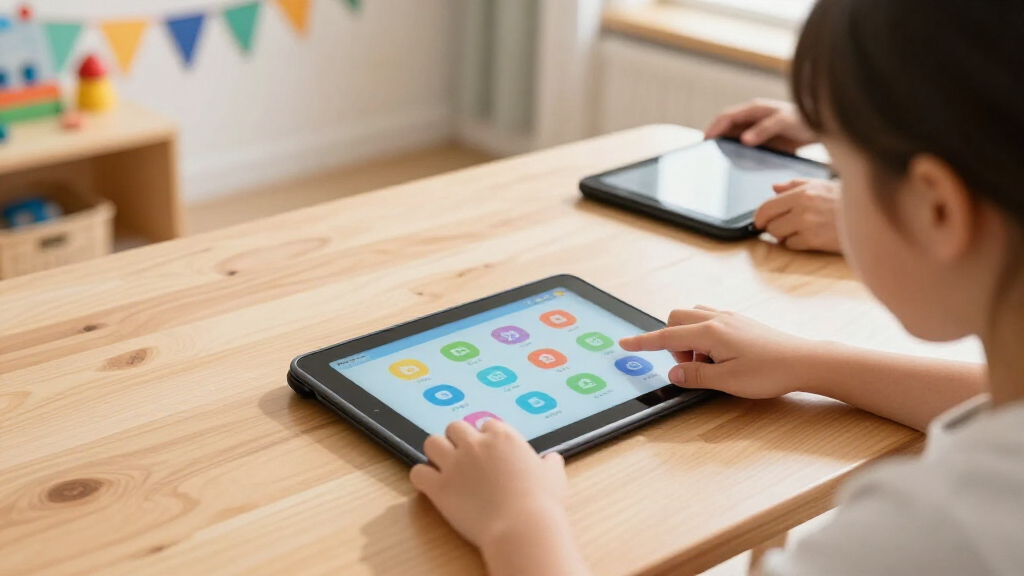
Among kids’ educational tablets, I rank the Amazon Fire HD 10 Kids as the best overall because its large display, child-focused setup, and broad content library suit most families. The Amazon Fire 7 Kids is the stronger value choice when portability and a lower price matter more than screen space. For older children, the Fire HD 10 Kids Pro offers a more mature experience without dropping parental oversight. The main tradeoffs are screen size, app freedom, storage, subscription costs, and how quickly a child may outgrow the interface. Continue reading for the full breakdown and the buyer types each tablet serves best.

Turn the school run and nap time into listening time
- Thousands of audiobooks, podcasts and originals
- Listen on your phone, tablet or Echo — also offline
- Cancel anytime
Complete the kit


Key Takeaways
- The Fire HD 10 Kids leads the roundup because its larger screen is better suited to reading, instructional videos, and shared activities than the compact Fire 7 models.
- The Fire 7 listings occupy the value tier, but their similar specifications mean price, color, seller, and included coverage matter more than small wording differences in their names.
- The Fire HD 10 Kids Pro is the premium choice for older children, while the standard Kids version offers a more guided environment for younger users.
- The amazon.com/dp/B0D1BTG3RK?tag=boostyourbaby-20&ascsubtag=dc-416498″ target=”_blank” rel=”nofollow sponsored noopener”>COLORROOM tablet wins on storage flexibility, yet its broad Android design places more setup and content-selection responsibility on the parent than amazon.com/dp/B0C8C2NZMQ?tag=boostyourbaby-20&ascsubtag=dc-416498″ target=”_blank” rel=”nofollow sponsored noopener”>amazon.com/dp/B0BLBLRLJB?tag=boostyourbaby-20&ascsubtag=dc-416498″ target=”_blank” rel=”nofollow sponsored noopener”>amazon.com/dp/B0BL8T7R1T?tag=boostyourbaby-20&ascsubtag=dc-416498″ target=”_blank” rel=”nofollow sponsored noopener”>amazon.com/dp/B0BL5SZ3VV?tag=boostyourbaby-20&ascsubtag=dc-416498″ target=”_blank” rel=”nofollow sponsored noopener”>Amazon or LeapFrog.
- The LeapPad Academy is the clearest beginner pick, trading app variety and long-term flexibility for a simpler learning-first experience.
| Amazon Fire HD 10 Kids Tablet |  | Best Overall | Display: 10.1-inch 1080p Full HD | Processor: Octa-core 2.05 GHz | Memory: 3 GB RAM | VIEW LATEST PRICE | See Our Full Breakdown |
| Amazon Fire 7 Kids Tablet, Red |  | Best Compact Value | Display: 7-inch touchscreen, 1024 x 600 | Processor: Quad-core 2.0 GHz | Memory: 2 GB RAM | VIEW LATEST PRICE | See Our Full Breakdown |
| Amazon Fire 7 Kids Tablet, Blue |  | Best Blue Case with a Full-Year Subscription | Display: 7 inches | Storage: 16 GB | Expandable Storage: Up to 1 TB via microSD | VIEW LATEST PRICE | See Our Full Breakdown |
| Amazon Fire 7 Kids Tablet, Blue, 6-Month Bundle | | Best Discount-Dependent Pick | Display: 7-inch touchscreen, 1024 x 600 | Processor: Quad-core 2.0 GHz | Memory: 2 GB RAM | VIEW LATEST PRICE | See Our Full Breakdown |
| Amazon Fire 7 Kids Tablet, Purple |  | Best Purple Case Option | Display: 7 inches | Storage: 16 GB | Expandable Storage: Up to 1 TB via microSD | VIEW LATEST PRICE | See Our Full Breakdown |
| COLORROOM 2026 Upgraded Android 15 Kids Tablet |  | Best for Android Flexibility | Display: 10.1-inch anti-blue-light display | Resolution: 1280 x 800 | Processor: Unisoc T606 octa-core, 2 GHz | VIEW LATEST PRICE | See Our Full Breakdown |
| Amazon Fire HD 10 Kids Pro Tablet |  | Best for Older Kids | Display: 10.1-inch 1080p HD | Resolution: 1920 x 1200 | Processor: Octa-core, 2.05 GHz | VIEW LATEST PRICE | See Our Full Breakdown |
| LeapFrog LeapPad Academy Kids’ Learning Tablet |  | Best for Preschool Learning | Screen Size: 7 inches | Screen Construction: Shatter-safe display | Battery: Rechargeable lithium-ion | VIEW LATEST PRICE | See Our Full Breakdown |
| kids’ educational tablet | Display | Storage | Battery Life | Processor |
|---|---|---|---|---|
| Amazon Fire HD 10 Kids Tablet | 10.1-inch 1080p Full HD | 32 GB, with 24 GB available | Up to 13 hours | Octa-core 2.05 GHz |
| Amazon Fire 7 Kids Tablet | 7-inch touchscreen, 1024 x 600 | 16 GB, with 9.5 GB available | Up to 10 hours | Quad-core 2.0 GHz |
| Amazon Fire 7 Kids Tablet | 7 inches | 16 GB | Up to 10 hours | — |
| Amazon Fire 7 Kids Tablet | 7-inch touchscreen, 1024 x 600 | 16 GB, with 9.5 GB available | Up to 10 hours | Quad-core 2.0 GHz |
| Amazon Fire 7 Kids Tablet | 7 inches | 16 GB | Up to 10 hours | — |
| COLORROOM 2026 Upgraded Androi | 10.1-inch anti-blue-light display | 64 GB; expandable to 1 TB via microSD | — | Unisoc T606 octa-core, 2 GHz |
| Amazon Fire HD 10 Kids Pro Tab | 10.1-inch 1080p HD | 32 GB total, 24 GB available; expandable to 1 TB via microSD | Up to 13 hours | Octa-core, 2.05 GHz |
| LeapFrog LeapPad Academy Kids’ | — | — | — | — |
More Details on Our Top Picks
Amazon Fire HD 10 Kids Tablet
I rank the Amazon Fire HD 10 Kids first because its 10.1-inch 1080p display makes illustrated books, instructional videos, and creative apps easier to follow than on any Fire 7 model here. The octa-core processor and 3 GB of RAM also provide more breathing room when children move between learning activities. Compared with the Fire HD 10 Kids Pro, this version is better matched to ages 3–7 through its protective case and younger-child interface. Its size and 23.61-ounce weight are less friendly for small hands than the compact Fire 7 Kids, while 32 GB still leaves limited usable internal space for apps. Even so, 13-hour battery life, a full year of Amazon Kids+, and expandable storage give it the strongest balance of learning value, screen quality, and longevity.
Pros:- Large 1080p display makes text, illustrations, and educational videos easier to see
- Octa-core processor and 3 GB of RAM offer stronger performance than the Fire 7 models
- Up to 13 hours of battery life supports long travel days
- Includes a protective case and one year of Amazon Kids+
Cons:- Heavier and bulkier than the 7-inch alternatives
- Only 24 GB of the 32 GB internal storage is available to the user
- Lacks Wi-Fi 6 support
Best for: Families with children ages 3–7 who want a larger screen for reading, instructional videos, and guided learning apps
Not ideal for: Preschoolers who need the lightest tablet for one-handed use, since the large case and 23.61-ounce weight add bulk
- Display:10.1-inch 1080p Full HD
- Processor:Octa-core 2.05 GHz
- Memory:3 GB RAM
- Storage:32 GB, with 24 GB available
- Expandable Storage:Up to 1 TB via microSD
- Battery Life:Up to 13 hours
- Weight:23.61 ounces
- Cameras:5 MP front and rear with 1080p video
- Included Extras:Kid-proof case, USB-C charger, and one year of Amazon Kids+
Our verdict“This is my first choice for younger children who will benefit from a roomy display and stronger performance more than compact portability.”
Amazon Fire 7 Kids Tablet, Red
I place the red Amazon Fire 7 Kids ahead of the other 7-inch listings for value because its stated bundle combines one year of Amazon Kids+ with a two-year worry-free guarantee. It delivers the same basic educational library and parental controls as the Fire HD 10 Kids while weighing roughly eight ounces less, making it easier for a preschooler to carry. That portability comes with a lower-resolution 1024 x 600 screen, slower quad-core hardware, and just 9.5 GB of usable internal storage. Compared with the blue B0C8C2NZMQ listing, its full-year subscription provides six additional included months. I would choose this model for reading, simple games, and travel rather than demanding creative apps; a microSD card also becomes a practical addition once books and videos accumulate.
Pros:- Light 15.1-ounce design is manageable for younger children
- Includes one year of Amazon Kids+ and a two-year worry-free guarantee
- Parental controls support content filtering and screen-time limits
- Storage can expand by up to 1 TB with a microSD card
Cons:- The 1024 x 600 display is much less detailed than the Fire HD 10 screen
- Only 9.5 GB of the 16 GB internal storage is available
- Quad-core processor and 2 GB of RAM limit performance in heavier apps
Best for: Budget-minded families seeking a compact first tablet with a full year of curated content and accidental-damage protection
Not ideal for: Children who regularly use detailed drawing apps, watch high-resolution lessons, or need fast multitasking
- Display:7-inch touchscreen, 1024 x 600
- Processor:Quad-core 2.0 GHz
- Memory:2 GB RAM
- Storage:16 GB, with 9.5 GB available
- Expandable Storage:Up to 1 TB via microSD
- Battery Life:Up to 10 hours
- Weight:15.1 ounces
- Cameras:2 MP front and rear with 720p video
- Included Extras:Kid-proof case, one year of Amazon Kids+, and two-year worry-free guarantee
Our verdict“This is my compact value pick for preschoolers who need durable access to basic educational content rather than premium performance.”
Amazon Fire 7 Kids Tablet, Blue
I see the blue Amazon Fire 7 Kids as the sensible color-specific choice for families who want the standard 7-inch bundle and a full year of Amazon Kids+. It offers the same compact format, parental controls, protective case, and 10-hour battery claim as the red Fire 7 Kids, so there is no meaningful educational advantage between those two listings. The difference matters more beside the blue B0C8C2NZMQ model: this package includes 12 months of Kids+ rather than six. Its limitations remain substantial, including a small screen and only 16 GB of internal storage, while the subscription automatically renews at $7.99 per month after the included year. I would pick it when blue is strongly preferred or its delivered price beats the red version, not for superior hardware.
Pros:- Includes a full year of ad-free Amazon Kids+ content
- Kid-proof case helps protect the tablet from everyday drops
- Parental controls allow age filters and customized usage limits
- MicroSD support permits storage expansion up to 1 TB
Cons:- Small 16 GB internal capacity will fill quickly without expansion
- Amazon Kids+ renews automatically at $7.99 per month after the first year
- Seven-inch display offers less room for reading and creative work than the Fire HD 10
Best for: Families whose young child strongly prefers a blue case and who want a full included year of Amazon Kids+
Not ideal for: Buyers seeking a hardware upgrade over another Fire 7, since color and bundle pricing are the main differentiators
- Display:7 inches
- Storage:16 GB
- Expandable Storage:Up to 1 TB via microSD
- Battery Life:Up to 10 hours
- Color:Blue
- Included Subscription:One year of Amazon Kids+
Our verdict“I would buy this listing for its blue case and full-year content bundle, provided it is priced close to or below the red equivalent.”
Amazon Fire 7 Kids Tablet, Blue, 6-Month Bundle
I rank this blue Fire 7 Kids bundle below the other Fire 7 listings because it includes only six months of Amazon Kids+, versus a full year with B0BLBLRLJB, B0BL8T7R1T, and B0BL8WSCH3. The hardware remains serviceable for picture books, phonics games, and downloaded videos: its quad-core processor, 2 GB of RAM, and 10-hour battery claim fit light educational use. Yet its low-resolution display and 9.5 GB of usable internal storage leave far less growing room than the Fire HD 10 Kids. The short subscription is the deciding tradeoff. At the stated $7.99 monthly renewal rate, replacing the missing six months could cost nearly $48. I would choose this package only when a meaningful checkout discount offsets that gap or when the family plans to cancel Kids+ early.
Pros:- Compact 15.1-ounce body is easy for preschoolers to carry
- Kid-proof case and parental controls suit independent use by young children
- Up to 10 hours of battery life covers most travel days
- Expandable storage supports a much larger offline library
Cons:- Includes only six months of Amazon Kids+, half the period of several comparable listings
- Just 9.5 GB of the 16 GB storage is available before adding a microSD card
- Low-resolution screen and modest hardware limit its usefulness as children grow
Best for: Families planning to use Amazon Kids+ for six months or less, or shoppers finding this bundle at a discount of roughly $48 versus a one-year version
Not ideal for: Households expecting to keep Amazon Kids+ for a full year, since the earlier renewal can erase a small purchase-price saving
- Display:7-inch touchscreen, 1024 x 600
- Processor:Quad-core 2.0 GHz
- Memory:2 GB RAM
- Storage:16 GB, with 9.5 GB available
- Expandable Storage:Up to 1 TB via microSD
- Battery Life:Up to 10 hours
- Charge Time:Approximately 4 hours
- Cameras:2 MP front and rear with 720p video
- Included Subscription:Six months of Amazon Kids+
Our verdict“This is my conditional pick only for buyers receiving a large discount or intending to end the content subscription within six months.”
Amazon Fire 7 Kids Tablet, Purple
I include the purple Amazon Fire 7 Kids for children whose color preference can encourage ownership and care, but I would not pay extra for it. Functionally, it matches the blue B0BLBLRLJB model: both combine a 7-inch display, 16 GB of storage, up to 10 hours of battery life, and one year of Amazon Kids+. It is easier for small hands to manage than the Fire HD 10 Kids, although that portability means less space for illustrated reading, handwriting activities, and shared viewing. The 16 GB storage ceiling also makes a microSD card likely, and some apps still need room internally. Since Kids+ renews at $7.99 per month after the first year, I would set a reminder before renewal. Choose this over the red or blue versions only when purple is preferred or the price is lower.
Pros:- Distinctive purple kid-proof case may help siblings identify their own device
- One year of Amazon Kids+ supplies books, games, videos, and educational activities
- Up to 10 hours of battery life is suitable for day trips
- Storage expands up to 1 TB for downloaded content
Cons:- Color is the main difference from less expensive Fire 7 listings
- Limited 16 GB internal storage can constrain app installations
- Amazon Kids+ renews automatically at $7.99 per month after the included year
Best for: Preschool families seeking a purple, easy-to-carry learning tablet with one year of age-filtered content
Not ideal for: Price-focused buyers when an otherwise identical red or blue Fire 7 bundle costs less
- Display:7 inches
- Storage:16 GB
- Expandable Storage:Up to 1 TB via microSD
- Battery Life:Up to 10 hours
- Color:Purple
- Included Subscription:One year of Amazon Kids+
Our verdict“I would select this model for a child set on purple, but only after checking that an identical Fire 7 in another color is not materially cheaper.”
COLORROOM 2026 Upgraded Android 15 Kids Tablet
I rank the COLORROOM 2026 Kids Tablet as the flexible Android choice because its 64 GB of storage, microSD expansion, and Google Kids Space leave families more room to shape the app library. Its 10 GB RAM and octa-core processor also promise smoother multitasking than the Amazon Fire HD 10 Kids Pro, which has 3 GB RAM. The 10.1-inch anti-blue-light screen and claimed 8–12-hour runtime support longer learning sessions, while the included EVA case adds basic drop protection. The tradeoff is confidence: average reported build quality makes this less reassuring than Amazon’s kid-proof design, and the 1280 x 800 resolution is below the Fire HD 10 Kids Pro’s 1920 x 1200 panel. I see it as a capacity-first option, not the safest durability bet.
Pros:- 10 GB RAM and an octa-core processor support responsive app switching
- 64 GB of built-in storage offers more starting capacity than the Fire HD 10 Kids Pro
- Storage can expand to 1 TB for downloaded lessons, videos, and books
- Google Kids Space and parental controls support age-appropriate use
Cons:- 1280 x 800 resolution is less detailed than the Fire HD 10 Kids Pro display
- Some customer feedback describes the build quality as average
- Reaching the advertised 1 TB capacity requires a separately purchased microSD card
Best for: Families who want Google Kids Space, generous memory, and room for a large offline app and media library
Not ideal for: Parents who prioritize proven physical durability and a sharper display over Android flexibility
- Display:10.1-inch anti-blue-light display
- Resolution:1280 x 800
- Processor:Unisoc T606 octa-core, 2 GHz
- RAM:10 GB
- Storage:64 GB; expandable to 1 TB via microSD
- Battery:6000 mAh; claimed 8–12 hours
- Operating System:Android 15
- Included Components:EVA case, USB cable, and manual
Our verdict“Choose this model for Android freedom and high storage capacity, but favor the Fire HD 10 Kids Pro if durability and screen sharpness come first.”
Amazon Fire HD 10 Kids Pro Tablet
The Amazon Fire HD 10 Kids Pro earns my pick for ages 6–12 because it pairs a less juvenile case with strong parental controls and a one-year Amazon Kids+ subscription. Compared with the COLORROOM 2026, its 1920 x 1200 display produces a sharper reading and video experience, while the claimed 13-hour battery better suits schoolwork followed by entertainment. Amazon’s curated, ad-free content also reduces setup work for parents. That convenience comes with tighter boundaries: 24 GB of the 32 GB storage is available, some apps must remain internally installed, and the platform is less open than a standard Android tablet. Its 3 GB RAM trails COLORROOM’s stated 10 GB as well. I place it higher for family-ready controls and content, but not for buyers seeking broad app-store freedom.
Pros:- 1920 x 1200 display is sharper than the COLORROOM tablet and Fire 7 Kids models
- Up to 13 hours of battery life supports long travel or study days
- One year of ad-free Amazon Kids+ content adds immediate educational value
- Kid-proof case and detailed parental controls reduce setup and protection costs
Cons:- Only 24 GB of the 32 GB internal storage is available to the user
- Some apps cannot be moved to microSD storage
- No Wi-Fi 6 support, and the Amazon platform offers less flexibility than standard Android
Best for: Families with children ages 6–12 who want structured content, strong parental controls, and long battery life
Not ideal for: Families who want unrestricted Android app access or ample built-in storage for many large apps
- Display:10.1-inch 1080p HD
- Resolution:1920 x 1200
- Processor:Octa-core, 2.05 GHz
- RAM:3 GB
- Storage:32 GB total, 24 GB available; expandable to 1 TB via microSD
- Battery Life:Up to 13 hours
- Cameras:5 MP front and rear
- Weight:23.21 oz (658.1 g)
- Dimensions:7.5 x 10.1 x 0.7 inches
Our verdict“This is my choice for school-age children when polished parental controls and ready-made content matter more than platform openness.”
LeapFrog LeapPad Academy Kids’ Learning Tablet
I reserve the LeapFrog LeapPad Academy for younger children because its learning system is built around ages 3–8 rather than adapted from a general-purpose tablet. The included stylus, shatter-safe 7-inch screen, and bumper with kickstand suit early writing practice and less careful handling. Compared with the Amazon Fire HD 10 Kids Pro, it offers a smaller, simpler learning environment covering reading, math, coding, and problem-solving, which can reduce distractions for preschoolers. It is also easier for small hands to carry than a 10.1-inch model. The limitations become clear as children grow: the screen offers less room for videos and eBooks, the supported age range is narrow, and much of the additional content costs extra after the trial. I rank it as the most focused starter tablet, but its shorter useful lifespan weakens its long-term value.
Pros:- Purpose-built learning activities cover core early-childhood skills
- Shatter-safe screen and protective bumper suit younger children
- Included stylus supports handwriting and fine-motor activities
- Compact 7-inch format is easier for small hands to hold
Cons:- Additional games and learning content can add substantial ongoing cost
- Age range of 3–8 gives it less longevity than the Fire HD 10 Kids Pro
- Smaller screen is less comfortable for shared viewing and long reading sessions
Best for: Parents of children ages 3–6 who want a durable, guided introduction to reading, writing, math, and coding
Not ideal for: Older children or families seeking a large screen, broad app selection, and several years of continued use
- Screen Size:7 inches
- Screen Construction:Shatter-safe display
- Battery:Rechargeable lithium-ion
- Age Range:3–8 years
- Learning Subjects:Math, reading, writing, coding, and problem-solving
- Included Accessories:Stylus and bumper with kickstand
- Web Access:Kid-friendly web content
- Subscription Trial:Three months of LeapFrog Academy
Our verdict“Pick the LeapPad Academy for a preschooler who benefits from a focused learning system, not for a child who will soon want a full tablet experience.”
How We Picked
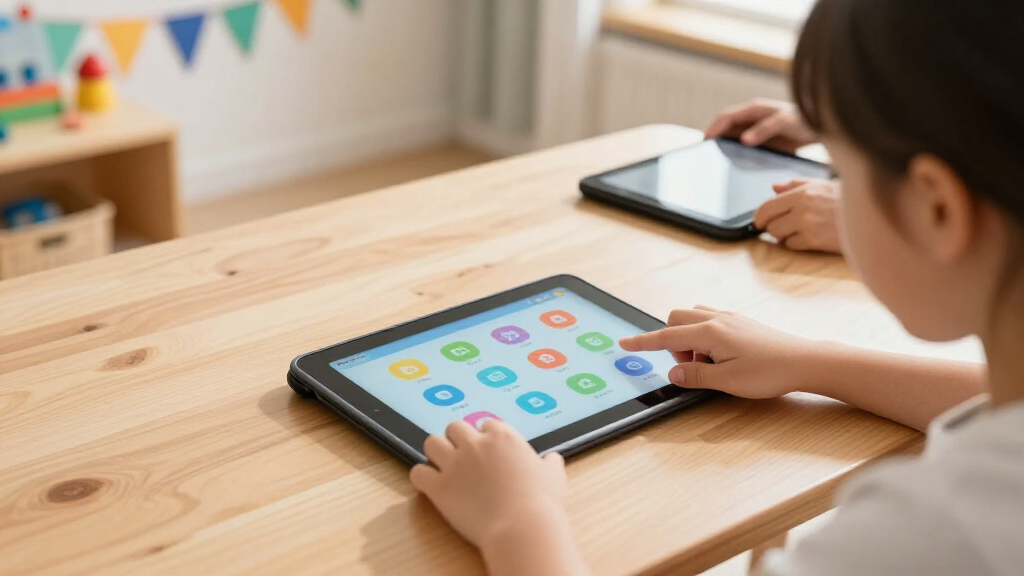
I ranked these tablets by how well they support age-appropriate learning, not by hardware numbers alone. My comparison weighed content quality, parental controls, interface clarity, screen comfort, durability, storage, portability, and expected useful life. I gave extra weight to easy daily management because a fast tablet offers little value if parents struggle to approve content or set boundaries. I also examined whether each model works beyond passive video viewing through reading, creative activities, educational apps, or guided lessons.
The order reflects a balance of learning value and family usability. Larger Fire HD models rank above the Fire 7 variants for sustained reading and lesson viewing, while the smaller models earn value and portability roles. The COLORROOM model receives credit for memory and expandable storage, but hardware flexibility does not replace a curated child ecosystem. LeapFrog ranks as a focused beginner option rather than an all-purpose tablet. Where several Fire 7 listings appear nearly identical, I treat price, generation, warranty, and bundle details as the deciding factors rather than color.
| kids’ educational tablet | Processor | Battery Life |
|---|---|---|
| Amazon Fire HD 10 Kids Tablet | Octa-core 2.05 GHz | Up to 13 hours |
| Amazon Fire 7 Kids Tablet | Quad-core 2.0 GHz | Up to 10 hours |
| Amazon Fire 7 Kids Tablet | — | Up to 10 hours |
| Amazon Fire 7 Kids Tablet | Quad-core 2.0 GHz | Up to 10 hours |
| Amazon Fire 7 Kids Tablet | — | Up to 10 hours |
| COLORROOM 2026 Upgraded Androi | Unisoc T606 octa-core, 2 GHz | — |
| Amazon Fire HD 10 Kids Pro Tab | Octa-core, 2.05 GHz | Up to 13 hours |
| LeapFrog LeapPad Academy Kids’ | — | — |
Factors to Consider When Choosing Kids’ Educational Tablets
I would choose a children’s tablet by matching its content model and physical design to the child’s age, then checking what the family must pay or manage after setup. The best choice is rarely the device with the longest specification list; it is the one that balances learning access, parental effort, and useful life.
Match the Interface to the Child’s Stage
I would start with the child’s reading level, independence, and ability to follow menus. A preschooler often benefits from a guided, icon-led interface, while an older child may resent a system that feels overly restricted. A beginner-focused device can reduce accidental purchases and off-task browsing, but it may feel limiting within a few years. A general Android tablet offers more freedom, yet parents must spend more time selecting apps and configuring access. I also separate educational availability from educational quality: thousands of apps do not guarantee that a child will find suitable material. The strongest age match gives the child enough freedom to grow without making parental supervision a daily project.
Check What Happens After the Content Bundle Ends
Many children’s tablets appear inexpensive because content access is bundled for a limited period. I would check the renewal price, cancellation process, and which downloaded titles remain available after the subscription ends. A broad library can offer better variety with less searching, but recurring fees may erase an initial price advantage. Buying individual apps can cost less for a child who repeatedly uses only a few programs. Families with several children should also check whether profiles and subscriptions can be shared across devices. My preferred value calculation combines the tablet price, two years of likely content spending, and any accessories needed for realistic ownership cost.
Choose Screen Size Around Where Learning Happens
A 10-inch screen is easier for reading illustrated books, following drawing activities, and viewing split-screen instructions. The same size adds weight, occupies more bag space, and can be awkward for small hands during car rides. A 7-inch model favors portability and one-handed carrying, but text, touch targets, and on-screen keyboards feel more cramped. I would favor a larger display for homework-like sessions at a table and a compact model for frequent travel. Screen resolution matters, yet viewing distance and session length often shape comfort more than a single display specification. A stand or case with a stable viewing angle can also make longer learning sessions more comfortable.
Treat Memory and Storage as Different Buying Decisions
RAM affects how smoothly apps switch and run, while storage determines how many apps, books, and offline videos fit on the device. Marketing often blends those figures, so I would verify each one separately. Children who mainly stream at home can manage with modest built-in storage, provided the operating system does not consume most of it. Frequent travelers need more local space because dependable internet access cannot be assumed. Expandable storage helps with media files, but some apps cannot be moved to a memory card. I would pay more for extra internal capacity when several large games or creative apps are planned, rather than relying entirely on a large advertised expansion limit.
Price the Case, Warranty, and Replacement Risk
A low tablet price loses its appeal if a sturdy case, stand, charger, and accidental-damage plan must be purchased separately. I would compare the complete package rather than the device alone. Thick bumpers improve drop protection and grip, though they add bulk and may trap heat during demanding apps. Replacement coverage has greater value for a preschooler’s shared family device than for a tablet that stays on a desk. I would also check whether cases and charging cables are easy to replace, since proprietary accessories can raise later costs. Paying more makes sense when the bundle provides stronger protection, longer usefulness, or easier support, not merely a different color or a larger headline specification.
Frequently Asked Questions
Should I Buy the Fire HD 10 Kids or Fire HD 10 Kids Pro?
I would choose the Fire HD 10 Kids for a younger child who benefits from a more playful, guided environment. The Kids Pro makes more sense for an older child who wants age-appropriate access that feels less preschool-oriented. Both emphasize parental oversight, so the choice is more about developmental stage than raw screen quality. A household planning to pass the tablet to a younger sibling may get broader use from the standard Kids model. For an independent grade-school user, the Pro version is less likely to feel childish too soon.
Is a 7-Inch Tablet Too Small for Educational Use?
A 7-inch screen is workable for audiobooks, simple games, flash cards, and short videos. I would avoid making it the first choice for long reading sessions, detailed drawing, or activities with small touch controls. Its main advantage is easy travel and lighter handling, especially for younger hands. A 10-inch model provides more comfortable visual space but can be tiring to hold without a stand. The better size depends on whether the tablet will live mainly in a backpack, a car, or at a table.
Are the Multiple Fire 7 Kids Listings Meaningfully Different?
Several Fire 7 entries in this roundup share the same 7-inch display and 16 GB capacity, so I would not assume each listing represents a separate performance tier. Product generation, included content period, case color, seller, warranty terms, and current price may still differ. I would verify the model year and package details before ordering, particularly when two blue versions use slightly different titles. If those details match, the least expensive preferred color is usually the sensible choice. Paying extra for nearly identical hardware adds little educational value.
Is a General Android Kids Tablet Better Than a Child-Focused Amazon or LeapFrog Model?
A general Android model is better for families who want broader app access, expandable storage, and flexible settings. I would choose a child-focused platform when simpler setup and a curated library matter more than freedom. Open app access can extend a tablet’s useful life, but it also asks parents to research content quality, permissions, advertisements, and purchases. Amazon sits between a closed learning device and a fully open Android experience, while LeapFrog leans toward guided early learning. The right choice depends on how much ongoing content management a parent wants to handle.
How Much Storage Does a Child’s Educational Tablet Need?
I view 16 GB as an entry-level capacity suited to light app use and regular cleanup. A 32 GB model leaves more room for downloaded books, videos, and games, making it easier to use away from Wi-Fi. Families installing large creative apps or keeping extensive offline media should favor 64 GB or dependable expansion. Storage cards help with photos and videos, but internal storage still matters because many apps keep core files there. I would choose capacity based on offline use and app size rather than the number of titles a subscription advertises.
Conclusion
For the best overall balance, I recommend the Amazon Fire HD 10 Kids because its large display, guided environment, and broad content access suit the widest range of families. For the best value and portability, I would buy whichever current Fire 7 Kids color offers the lowest price with matching generation, coverage, and bundle terms; the red, blue, and purple listings do not justify large price gaps on color alone. The Fire HD 10 Kids Pro is the best premium choice for an older child who needs more room to grow. For beginners and specialized needs, I favor the LeapFrog LeapPad Academy for guided early learning and the COLORROOM tablet for families prioritizing expandable storage and wider Android flexibility. Buyers focused on travel should stay with a Fire 7, while families planning longer reading or lesson sessions should favor either 10.1-inch model. My final choice would be based on the child’s age, where the tablet will be used, and how much ongoing app management the parent wants to handle.
Halloween Picks
halloween
As an affiliate, we earn on qualifying purchases.