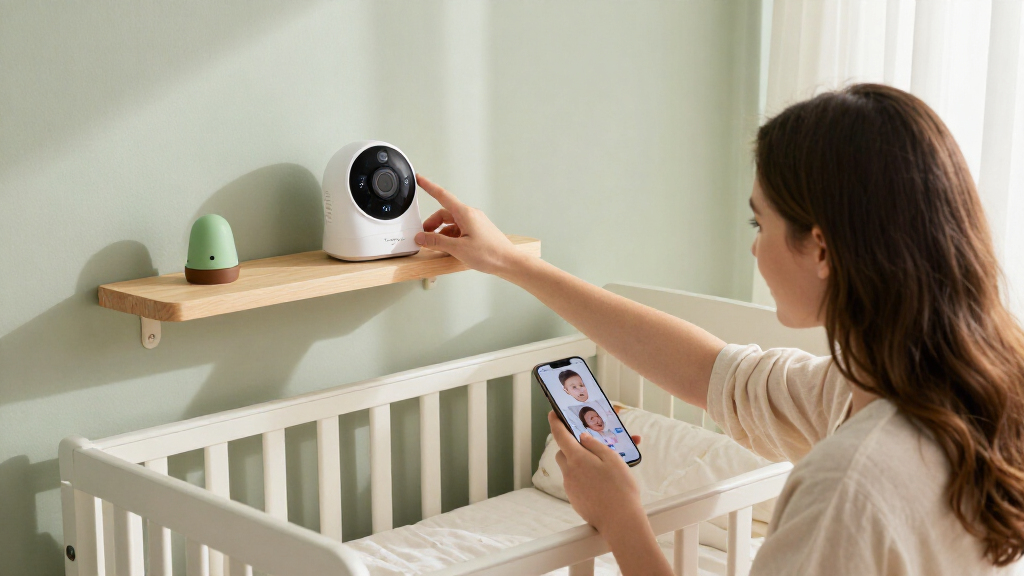
Choosing a baby monitor with Wi-Fi is mainly a choice about where you want to watch from. A Wi-Fi model can send video to a phone over the internet, which is useful when a caregiver is away from home or another family member needs access. A non-Wi-Fi monitor usually pairs its camera with a dedicated parent unit, keeping viewing local and simple.

Turn the school run and nap time into listening time
- Thousands of audiobooks, podcasts and originals
- Listen on your phone, tablet or Echo — also offline
- Cancel anytime

VTech Smart WiFi Baby Monitor VM901
- ✔ Camera resolution: 1080p
- ✔ Parent screen: 5 inches
- ✔ Connectivity: WiFi app access and direct parent-unit connection

Blemil 5.5-inch Smart WiFi Baby Monitor with Camera and Audio
- ✔ Parent screen: 5.5-inch IPS
- ✔ WiFi: 2.4GHz networks for app pairing
- ✔ Camera movement: 285° pan and 60° tilt stated

jeeber VB816PRO 1080P WiFi Baby Monitor with Camera and Audio
- ✔ Parent screen: 4-inch IPS
- ✔ WiFi: 2.4GHz only
- ✔ Other connection: FHSS stated for no-WiFi parent-unit use
That convenience comes with tradeoffs: Wi-Fi models depend on a working network and account security, while non-Wi-Fi models generally have shorter range and fewer remote features. Wi-Fi is the better fit for families who will use remote viewing or shared access. A non-Wi-Fi model is often the more dependable, lower-complexity choice for watching from home.
At a Glance
| Criteria | Wi-Fi baby monitors | Non-Wi-Fi baby monitors | Winner |
|---|---|---|---|
| Where you can watch | Phone or tablet on the home network or over the internet, depending on the model | Dedicated parent unit near the caregiver, with range limited by the product | A |
| Connection dependence | Needs Wi-Fi for app viewing and remote access; local fallback varies by model | Usually connects camera directly to parent unit; no home internet needed | B |
| Privacy and account security | Uses an app and often an account; security depends on vendor practices and user settings | No internet account is needed for ordinary viewing; wireless security still varies | B |
| Setup and daily use | Requires app setup, network pairing and sometimes account configuration | Often simpler: pair the camera and parent unit, then use the controls | B |
| Features and alerts | Often includes remote access, sharing, recording or smart alerts; features vary | Commonly offers core video, audio and alerts; connected extras are less common | A |
| Cost and value | Wide price range; advanced features or subscriptions can add cost | Often less expensive and avoids app subscriptions, though premium models can cost more | Depends |
VTech Smart WiFi Baby Monitor VM901
The VTech VM901 makes the most sense for families who want one system to cover both overnight checks at home and app viewing when they are away. Its 5-inch parent screen provides a dedicated view without reaching for a phone, while the MyVTech Baby app adds remote access and shared caregiver viewing. That combination is more clearly specified than the jeeber’s hybrid arrangement and less dependent on a headline extra, such as Blemil’s auto-tracking, to make its case.Camera controls also feel central to this pick: the listing says you can pan, tilt, and zoom from either the parent unit or app, and the camera records at 1080p with automatic day-to-night switching. Alerts for movement, sound, and temperature give caregivers more context, while two-way talk can make a quick check-in possible without entering the room. Compared with Blemil, VTech describes its controls and 10x zoom more explicitly; compared with jeeber, it avoids conflicting resolution claims in the supplied description.There are tradeoffs. The parent unit needs power for its base operation, and remote checking depends on a working network and app connection. The listing mentions a direct connection reaching up to 1,000 feet, but that is an open-area claim rather than a guarantee through walls. Families who mainly want automatic tracking or a specifically stated long battery runtime may prefer Blemil. Still, for a straightforward blend of screen, app, and camera control, VTech is the clearest all-round choice among these three.
Pros:
- 5-inch parent unit and app access for two viewing contexts
- 1080p camera with automatic night-vision switching
- Pan, tilt, and up to 10x zoom through the app or parent unit
- App sharing, two-way talk, and movement, sound, and temperature alerts
Cons:
- Parent unit operation requires power, according to the listing
- Remote viewing and alerts depend on app and network availability
- The stated 1,000-foot range is an open-area claim, not an in-home guarantee
Best for: Caregivers who want a dedicated screen at home plus app access and camera control when away.
Not ideal for: Families prioritizing automatic subject tracking or a long stated battery runtime for the parent unit.
Bottom line: Choose the VTech VM901 for the most clearly balanced mix of app access, a dedicated screen, and camera controls in this comparison.
“Choose the VTech VM901 for the most clearly balanced mix of app access, a dedicated screen, and camera controls in this comparison.”
Blemil 5.5-inch Smart WiFi Baby Monitor with Camera and Audio
Blemil’s 5.5-inch IPS screen is the largest in this group, and its headline distinction is automatic motion tracking. The camera is described as following movement across a 285° pan and 60° tilt range, which may reduce the need to reposition the view manually when a child moves within the camera’s field. That makes Blemil a more specialized pick than the VTech: VTech gives caregivers explicit manual pan-tilt-zoom and 10x zoom, while Blemil emphasizes following motion automatically.The parent unit has a stated 5,000mAh battery and up to 22 hours of use in ECO mode. For caregivers who carry the screen around the home, that runtime claim is attractive, but it is mode-specific and should not be read as an all-day runtime under every setting. Blemil also supports app viewing over 2.4GHz WiFi, shared family access, two-way audio, sound, cry, and motion detection, plus local Micro-SD and encrypted cloud storage. Compared with jeeber’s FHSS option, Blemil’s listing describes WiFi viewing as the route to app access and does not identify a separate non-WiFi connection.The drawbacks are mostly about certainty and setup. The camera requires power, the app’s WiFi pairing is limited to 2.4GHz networks, and the supplied details do not specify a clear everyday video resolution comparable to VTech’s 1080p claim. Its tracking may be useful, but caregivers who want to frame the crib themselves with zoom controls may find VTech’s stated controls easier to evaluate. Choose Blemil when a larger screen and automatic tracking are priorities; skip it if you need a clearly documented resolution or a second in-home connection method.
Pros:
- Largest listed parent screen at 5.5 inches
- Automatic motion tracking with stated 285° pan and 60° tilt
- 5,000mAh parent-unit battery with up to 22 hours claimed in ECO mode
- App sharing, two-way audio, and Micro-SD or cloud storage options
Cons:
- App pairing supports 2.4GHz WiFi only
- The 22-hour estimate applies to ECO mode, not necessarily every use pattern
- Camera resolution is not clearly specified in the supplied description
Best for: Caregivers who want a larger parent screen, automatic motion tracking, and a portable monitor with a long stated ECO-mode runtime.
Not ideal for: Households using only 5GHz WiFi, or buyers who prioritize a clearly specified camera resolution and manual zoom.
Bottom line: Pick Blemil if automatic tracking and a larger, battery-powered parent screen matter more than clearly documented resolution or connection flexibility.
“Pick Blemil if automatic tracking and a larger, battery-powered parent screen matter more than clearly documented resolution or connection flexibility.”
jeeber VB816PRO 1080P WiFi Baby Monitor with Camera and Audio
The jeeber VB816PRO stands out because it pairs app access with a dedicated 4-inch monitor and describes an additional FHSS connection for the parent unit. For caregivers who like checking a phone remotely but want an in-home screen with a separate direct connection, that is a useful distinction from Blemil, whose listing centers app viewing over WiFi. It also includes two-way audio, cry detection, lullabies, temperature monitoring, and a claimed 14-hour screen runtime.Its camera is described as pan-and-tilt capable, with a wide lens and automatic infrared night vision. However, the listing is inconsistent: the product title says 1080P and 360° PTZ, one feature block says 340° pan/tilt, and another says the image is 720p while supporting up to a 1080p display. Those statements do not establish the actual camera capture resolution or exact movement range. VTech is the easier choice if clear, consistent video specifications and explicit zoom controls are important; jeeber’s appeal is its hybrid viewing arrangement and feature set.Setup details deserve attention as well. The monitor supports 2.4GHz WiFi only, and the listing says no stand is included, which may affect where the camera can be placed. Its encryption and connection-range statements are manufacturer claims, not independent assurance of security or real-world coverage. The 4-inch screen is also smaller than the VTech and Blemil displays. We would consider this model when having both app and FHSS viewing matters more than screen size, but buyers who want unambiguous video specs should look first at VTech.
Pros:
- Combines a 4-inch screen, app viewing, and an FHSS connection
- Cry detection, two-way audio, lullabies, and temperature monitoring
- Claims up to 14 hours of continuous screen use
- Infrared night vision and pan-tilt camera control
Cons:
- Listing conflicts on 720p versus 1080p and 340° versus 360° movement
- Supports 2.4GHz WiFi only
- No camera stand is included, according to the listing
Best for: Caregivers who want a compact parent screen, phone app access, and a separately described FHSS in-home connection.
Not ideal for: Buyers who need unambiguous camera-resolution and movement specifications, a larger screen, or 5GHz WiFi support.
Bottom line: Choose jeeber for its hybrid app-and-FHSS setup, provided you are comfortable with unresolved camera specification conflicts.
“Choose jeeber for its hybrid app-and-FHSS setup, provided you are comfortable with unresolved camera specification conflicts.”
As an Amazon Associate we earn from qualifying purchases.
Key Differences
The biggest practical difference is remote access. Wi-Fi lets a parent check in from work, travel or another part of the property when the model supports internet viewing. It can also make it easier for multiple caregivers to share access. A dedicated non-Wi-Fi monitor is tied to its parent unit, so it is a better match when the person watching stays close to home and wants a separate screen ready to use.
That flexibility makes Wi-Fi more dependent on the quality of the home network, app and service. A weak connection can delay or interrupt a live view, and remote access means paying attention to passwords, account protections and software updates. Non-Wi-Fi models avoid those internet and account dependencies, though they still use wireless signals and can face range limits or interference. The best choice is the one whose failure points are easier for your household to manage.
Price alone does not settle the comparison. Basic Wi-Fi models can be affordable, while feature-rich versions may cost more or charge for storage and advanced alerts. Non-Wi-Fi monitors often deliver the core job at a lower cost, but some premium parent-unit models are expensive too. Pay extra for Wi-Fi when remote viewing or sharing will be used regularly; otherwise, a dependable local monitor is usually stronger value.
Detailed Comparison
Where you can watch (Wi-Fi baby monitors wins — major)
Wi-Fi wins by a major margin for reach: supported models let a caregiver view the feed from a phone outside the home, while a non-Wi-Fi parent unit must remain within its stated range. This matters for working parents, separated caregivers and larger households. If you only watch from the next room, remote access may add little practical value.
Connection dependence (Non-Wi-Fi baby monitors wins — moderate)
Non-Wi-Fi wins by a moderate margin for independence. Its camera and parent unit can communicate without the home’s router or internet service. Wi-Fi models need a functioning network for app viewing, although some include a local monitor or fallback mode. Families with unreliable broadband should check exactly what remains available during an outage.
Privacy and account security (Non-Wi-Fi baby monitors wins — moderate)
Non-Wi-Fi has a moderate advantage in simplicity because ordinary viewing does not require an internet-connected account. Wi-Fi adds account and vendor security considerations, including strong unique passwords, available two-factor authentication and software support. Neither category is automatically private: both use wireless communication, so buyers should check the manufacturer’s security information.
Setup and daily use (Non-Wi-Fi baby monitors wins — minor)
Non-Wi-Fi usually wins by a minor to moderate margin. A dedicated screen is ready without opening an app, and basic pairing is often straightforward. Wi-Fi setup may require an app, account and network troubleshooting, but a household already comfortable with connected devices may find it easy. The convenience of phone access can offset the extra setup.
Features and alerts (Wi-Fi baby monitors wins — moderate)
Wi-Fi tends to win by a moderate margin for connected extras such as remote viewing, access sharing, clips or smart alerts. Availability varies, and some functions may require a subscription. Non-Wi-Fi monitors commonly cover core video, audio and sound alerts with fewer connected services. Choose based on features you will use, rather than the length of a feature list.
Cost and value (moderate difference)
There is no universal winner. Non-Wi-Fi models often offer better value when the goal is a basic live view and sound alert, especially if avoiding recurring fees matters. Wi-Fi is worth paying more for when remote checks or caregiver sharing solve a real need. Compare total cost, including subscriptions, storage, accessories and any separate parent unit.
Wi-Fi baby monitors: Pros and Cons
Pros:
- View from a phone outside the home when supported
- Convenient access for multiple caregivers
- Often offers connected alerts, sharing and recording options
Cons:
- Depends on Wi-Fi and sometimes an ongoing vendor service
- Requires attention to account security and software support
- Advanced features or cloud storage may add recurring costs
Non-Wi-Fi baby monitors: Pros and Cons
Pros:
- Works without home internet for ordinary local viewing
- Dedicated screen is ready without opening an app
- Often covers core monitoring needs without a subscription
Cons:
- Viewing is limited to parent-unit range
- Remote access and caregiver sharing are usually unavailable
- May offer fewer connected alerts and recording options
Who Should Choose What
Choose Wi-Fi baby monitors if:
- You regularly want to check the camera while away from home.
- Caregivers in different locations need shared access.
- Your home Wi-Fi is reliable and you are comfortable managing app security.
Choose Non-Wi-Fi baby monitors if:
- You mainly monitor from home and want a dedicated screen.
- Your internet is unreliable or you prefer not to depend on an app.
- You want core monitoring features without paying for connected services.
Skip both if: Skip both if you need a monitor for a location without dependable power or suitable coverage; first identify a model and setup designed for that environment.
Value for Money
Pay more for Wi-Fi when remote viewing or shared access will change how your family uses the monitor. Those features can justify a higher upfront price, and a subscription may be worthwhile if it provides storage or alerts you specifically need. Check whether live viewing works without a subscription and what happens if the vendor ends support.
If the monitor will stay beside a caregiver at home, a non-Wi-Fi model is usually better value. It can provide a direct view and sound alerts without requiring internet service or a cloud plan. Compare the complete cost and included functions: a high-priced parent-unit model can outcost a basic Wi-Fi camera, so category alone does not predict the best deal.
Final Verdict
Choose a Wi-Fi baby monitor if remote viewing or access for caregivers in different places is a regular need. Its wider reach is the deciding advantage, provided your network is dependable and you are willing to manage app security and any service fees.
Choose a non-Wi-Fi monitor if you watch from home and want a dedicated screen that works without internet. For that household, it is usually the simpler and better-value purchase. The key question is whether you will use remote access often enough to justify its extra network, account and cost dependencies.
Frequently Asked Questions
Can I use a Wi-Fi baby monitor without internet?
Sometimes for local viewing, but it depends on the model. Some offer a separate parent unit or local connection; others rely on internet service for app access. Check what live video and alerts continue to work during an outage before buying.
Are Wi-Fi baby monitors less secure?
They create additional account and internet security considerations, but security varies by manufacturer and setup. Use a unique password, enable two-factor authentication when available, install updates and review the vendor’s support policy. Non-Wi-Fi monitors also use wireless signals and are not automatically risk-free.
Is a Wi-Fi baby monitor worth paying more for?
Yes, when you will regularly view the feed away from home or share access with caregivers. If you only need a live view nearby, paying extra for connected features is usually poor value; a non-Wi-Fi model can cover the core need.
Which type works better when the home Wi-Fi is unreliable?
A non-Wi-Fi model is generally the safer choice because it can link its camera directly to its parent unit. Some Wi-Fi monitors have local fallback, but confirm that feature and its range in the product details.